🧾 How to Get an Invoice
Need to retrieve or download your invoice from the Laundro Portal? Follow this simple step-by-step guide!
🎯 Purpose
This guide explains how to access the invoice section and retrieve your invoice through the Laundro Portal.
🧭 Quick Navigation
- 🔐 Log in to Laundro Portal
- 📂 Navigate to the invoice section
- 🔎 Find your invoice
- 📥 View or download your invoice
🔐 Step-by-Step Guide
🔐 Step 1 — Login to Laundro Portal
Log in using your Username and Password. https://v2.thelaundro.com/operator_login
📂 Step 2 - Navigate to the invoice section
After logging in, navigate to the relevant section where invoices are available.
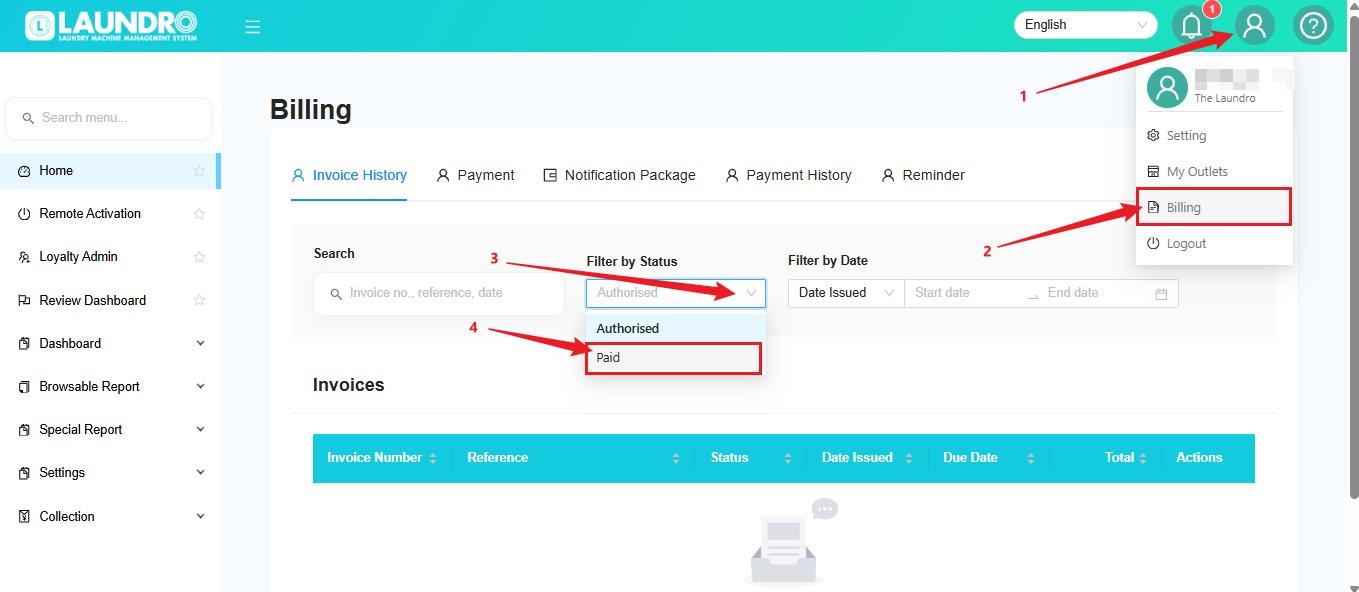
🔎 Step 3 - Find your invoice
Locate the invoice you wish to retrieve.
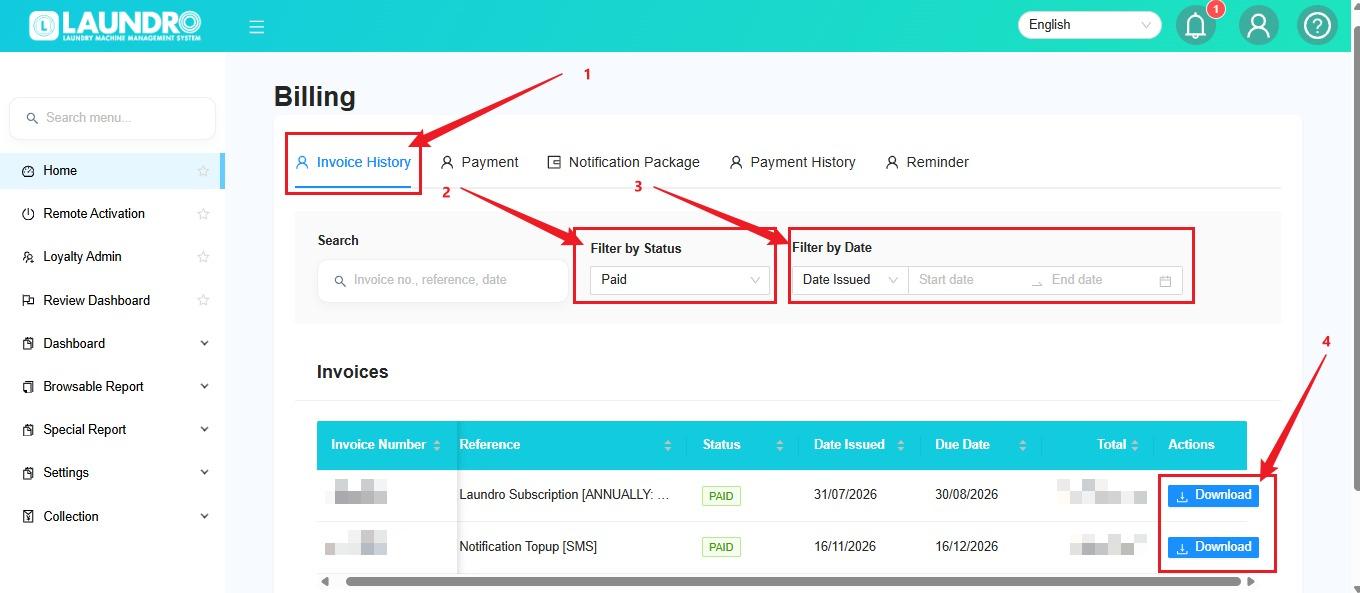
If available, use the relevant filters such as date, billing period or account to find the correct invoice.
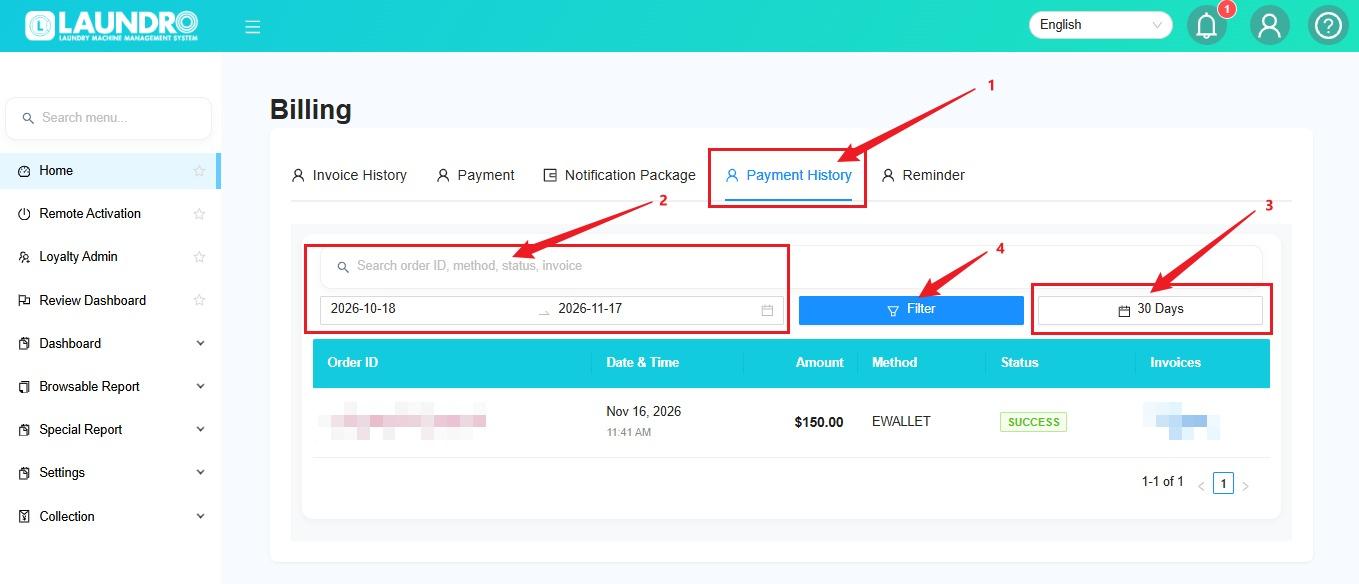
📥 Step 4 - View or download your invoice
Select the required invoice and use the available option to view or download it.
💡 Helpful Tips
- Make sure you select the correct billing period.
- Double-check the invoice details before downloading.
- Keep a copy of your invoice for future reference.
- If the invoice is unavailable, contact the support team for assistance.
✅ Final Checklist
- Successfully logged in
- Opened the correct invoice section
- Selected the correct invoice
- Invoice viewed or downloaded successfully
🎉 That's it! You have successfully retrieved your invoice.