📩 How to Check SMS Credit
In this guide, you check how much SMS credit your operator has. SMS means Short Message Service. It is a text message that Laundro sends to a phone. It is used for member's authetication or commununication.
🎯 Purpose
Use the SMS Report to:
- 📩 Monitor SMS requests, including temporary-password requests.
- 💳 Check the remaining SMS credit balance.
- ⚠️ Identify when a top-up may be needed.
🧭 Quick Navigation
- 🔐 Log in to Laundro Portal
- ⚙️ Open Settings
- 🏪 Select Your Operator
- 📩 Open Notification Settings
- 🔍 Check Your SMS Credits
- 💳 Top Up if Needed
Before you start
- Use a user role that can open the Billing page. Only approved roles can open it. If you cannot open it, contact the Laundro administrator at admin@antlysis.com.
🔐 Step 1: Log in to Laundro Portal
Log in using your username and password.
💡 Tip: Make sure your account has the necessary permissions to access the required settings.
⚙️ Step 2: Open Settings
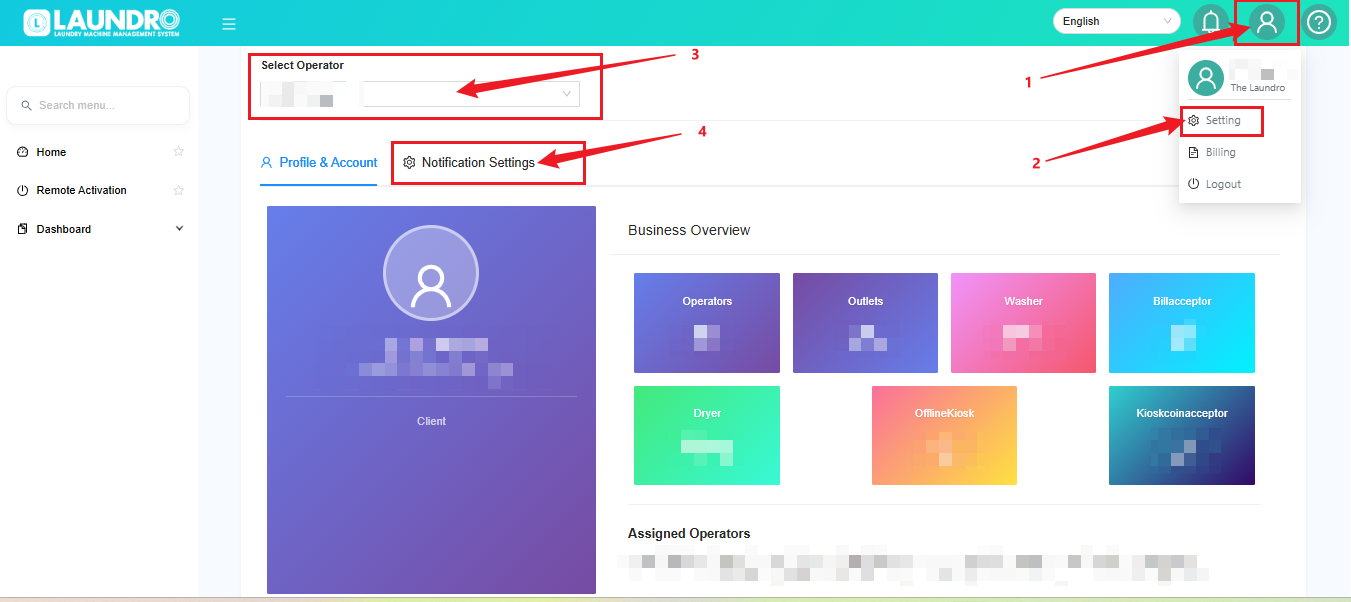
- Click the Profile icon at the top-right corner.
- Select Setting.
🏪 Step 3: Select Your Operator
3. Find the Select Operator dropdown list. Choose the operator you want to check.
4. Click the Notification Settings tab. The page opens on Profile & Account first.
💡 Tip: Make sure you select the correct operator before checking the credit balance.
📩 Step 4: Open Notification Settings
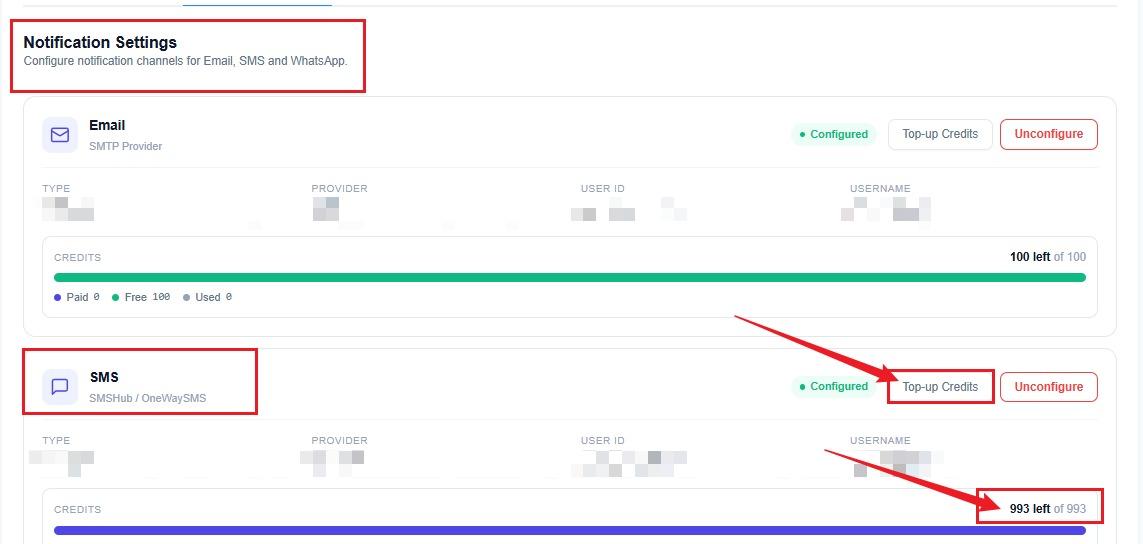
- Scroll down to locate the SMS section.
- Find the SMS section. Scroll down if you do not see it.
- Look at the CREDITS box in the SMS section.
- Read the text at the top right of the CREDITS box.
🔍 Step 5: Check Your SMS Credits
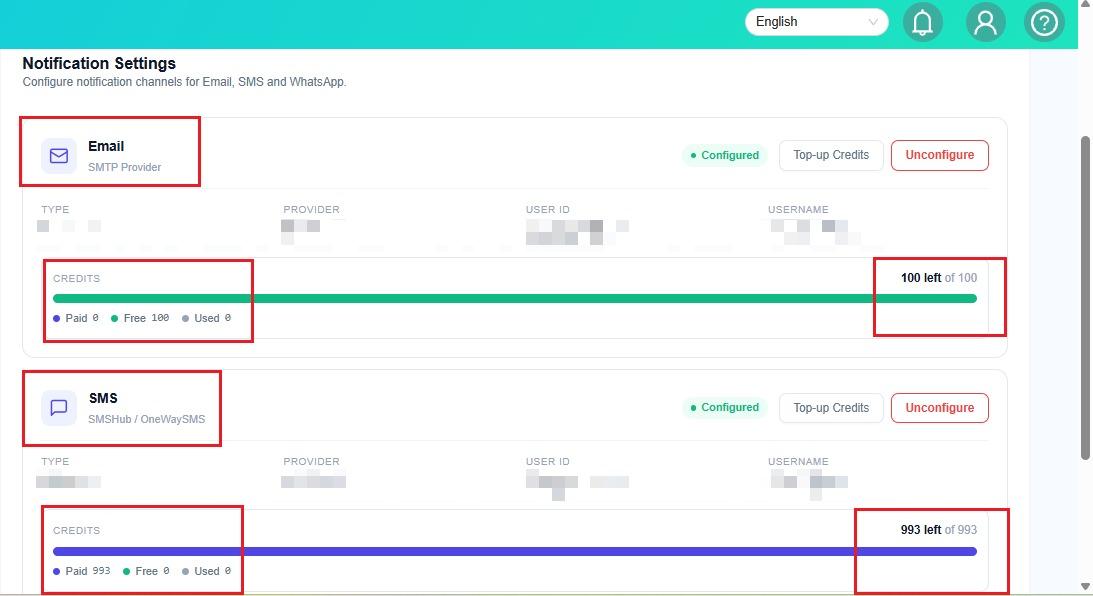
- Locate the CREDITS box under the SMS section.
- Look at the credit balance displayed at the top-right corner of the box.
- Check the balance to see how many credits remain.
💡 How to Understand Your SMS Credit Balance
Example: 589 left of 638
- ✅ 589 left — You have 589 SMS credits remaining.
- 📊 638 total — Your total credit allocation is 638.
- 📉 Used — Credits that have already been used.
- 💳 Paid — Credits purchased.
- 🎁 Free — Credits provided free of charge.
📌 Remember: One SMS uses one credit.
⚠️ Out of credits: If this message appears in red, your SMS credit balance is empty and you may need to top up.
💳 Step 6: Top Up Your SMS Credits
If you have run out of SMS credits:
- Go to the SMS section.
- Click Top-up Credits.
- Follow the instructions on the top-up page to complete the process.
➡️ Next Step: Refer to the How To Top-up SMS Credit guide for detailed instructions.
✅ Quick Checklist
Before leaving the page, make sure you have:
- ☐ Selected the correct operator.
- ☐ Located the SMS section.
- ☐ Checked the remaining credit balance.
- ☐ Confirmed whether a top-up is needed.
🎉 You're all set! You now know how to check your SMS credit balance and identify when a top-up may be required.