🏪 How to Activate an Outlet
Welcome to the Laundro Portal Guide! 👋
Follow these steps to activate a new outlet or add billing for additional machines to an existing outlet.
💡 Before you start: Make sure all Washer and Dryer devices have been configured before activating the outlet. Pricing can be configured separately.
🔐 Step 1 — Access My Outlets
- Log in to the Laundro Portal.
- Click the Profile icon at the top-right corner.
- Select My Outlets from the dropdown menu.
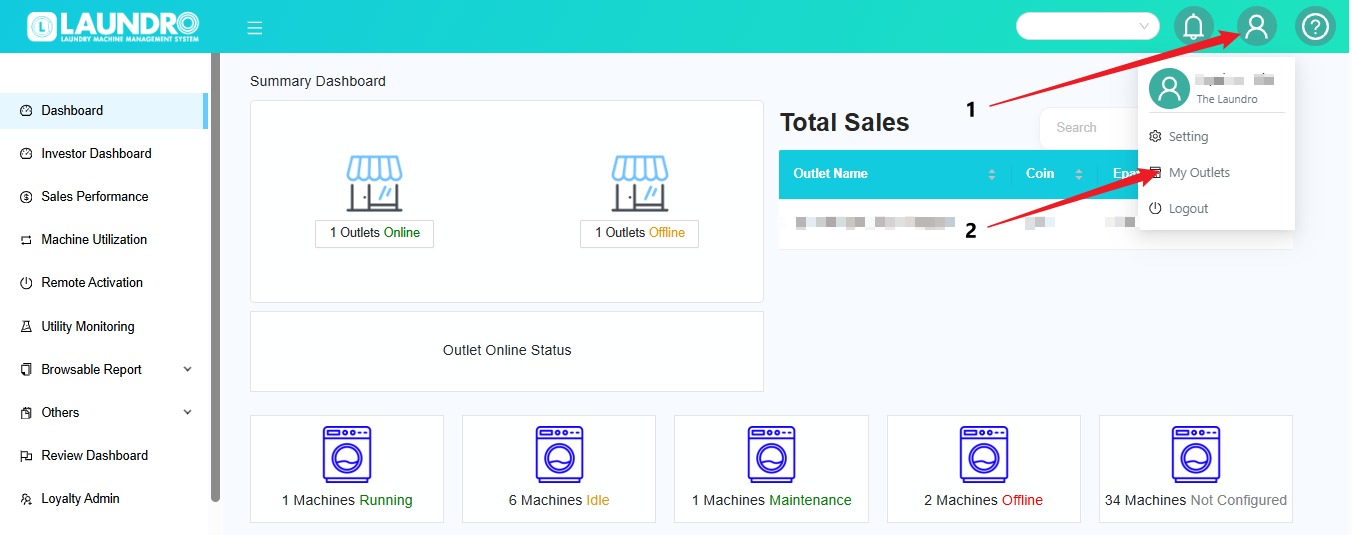
💡 Tip: Make sure you select the correct outlet before proceeding.
🧾 Step 2 — Check Your Outlet Status
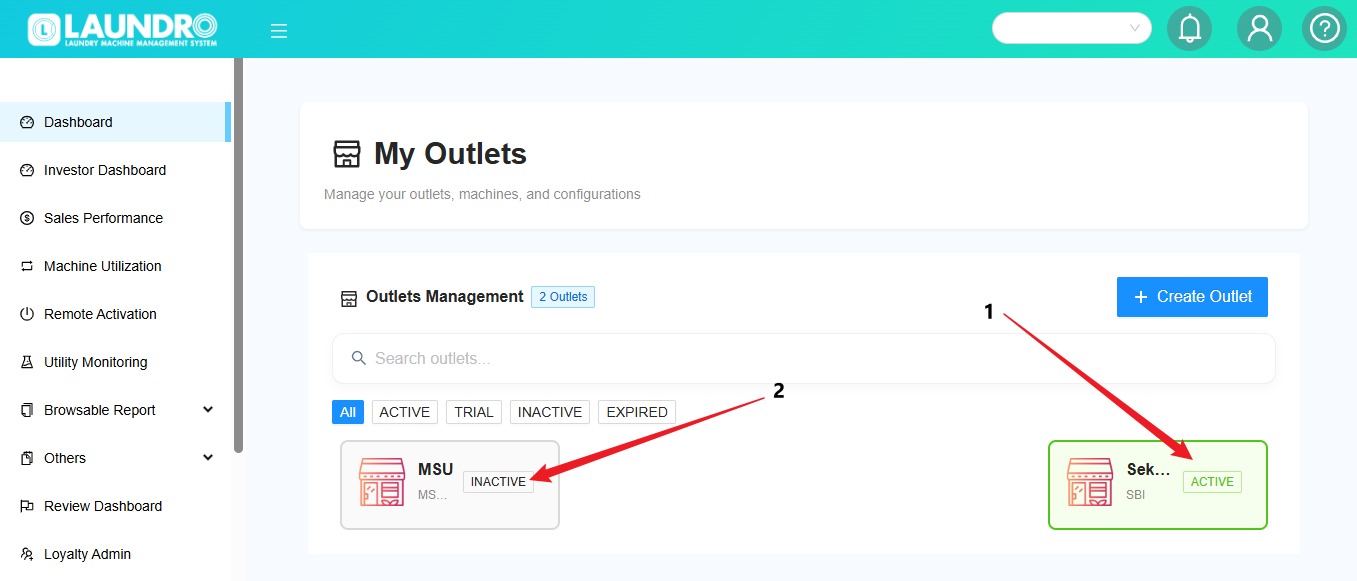
On the My Outlets page, check the status of your outlet.
- 🟢 Outlet Activated: The outlet has already been activated.
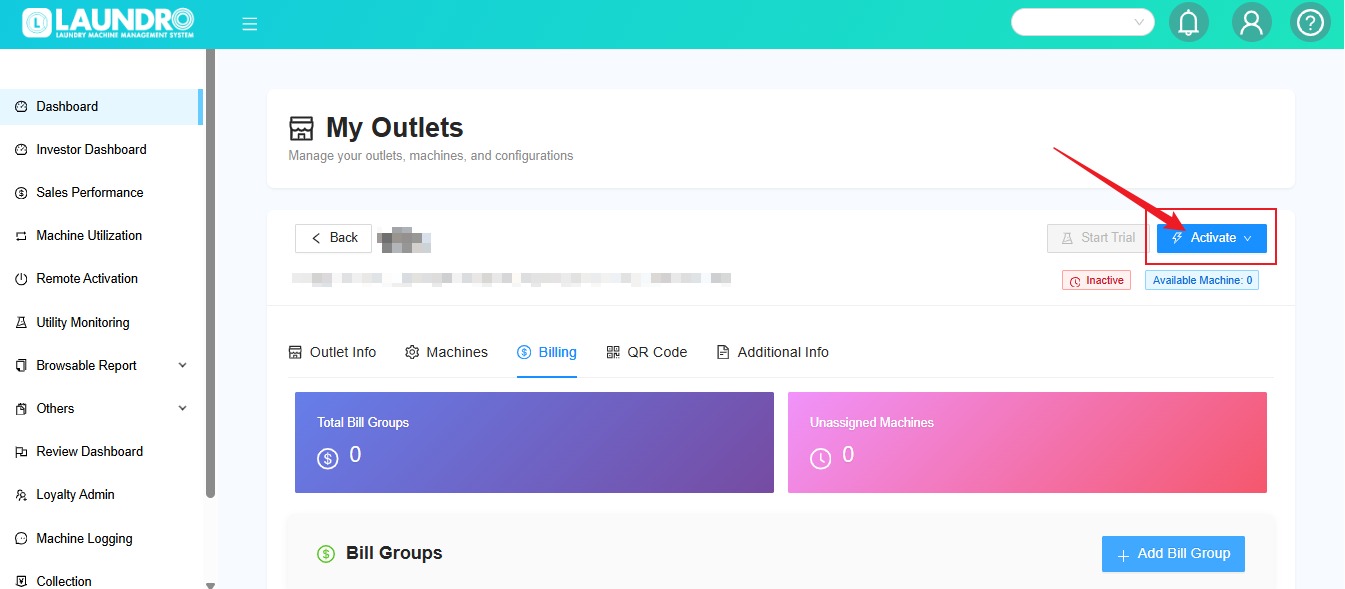
- 🟠 Outlet Inactive: Click the inactive outlet to continue with the activation process.
💳 Step 3 — Set Up Billing
To set up billing for an inactive outlet:
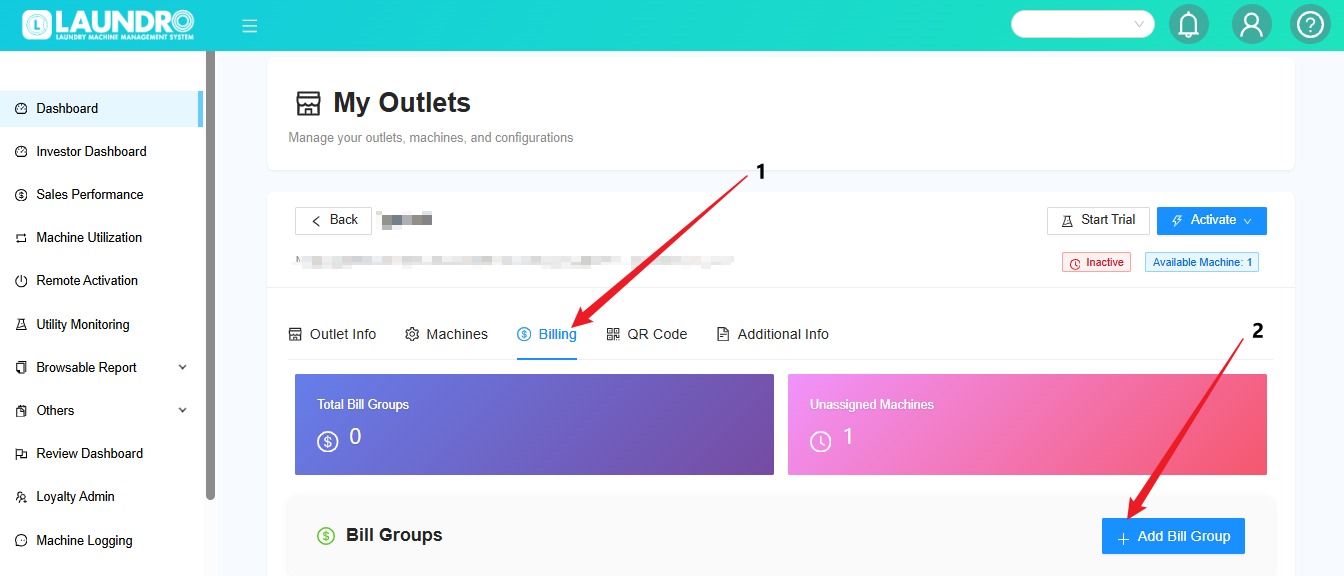
- Open the outlet you want to activate.
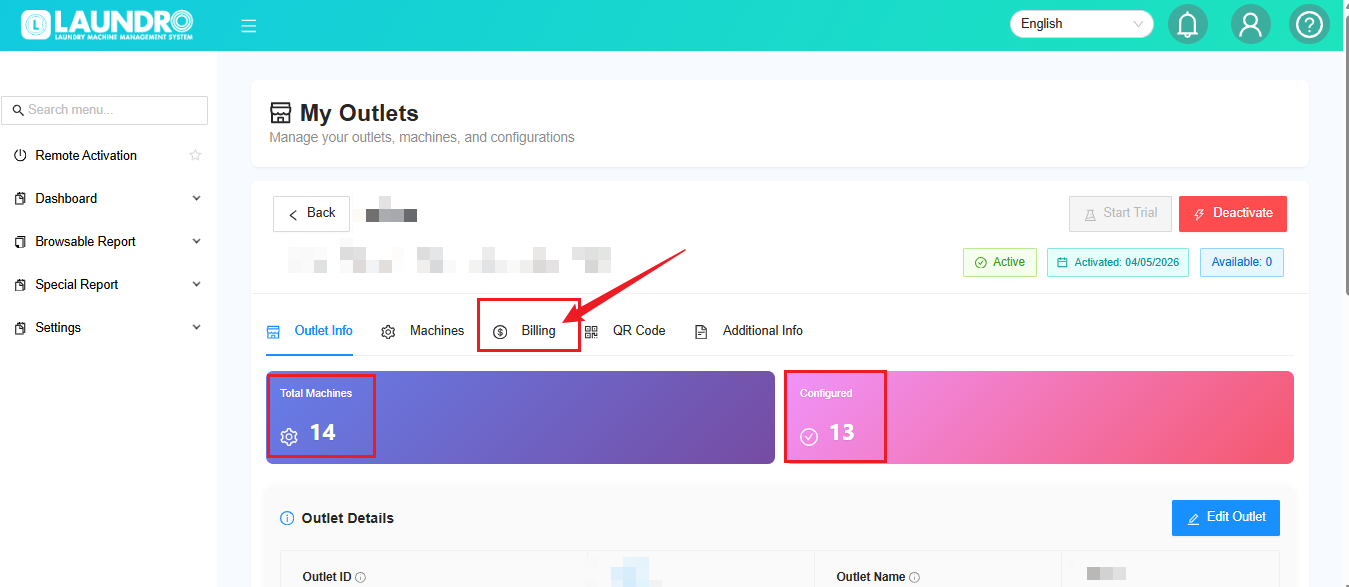
- Click the Billing tab.
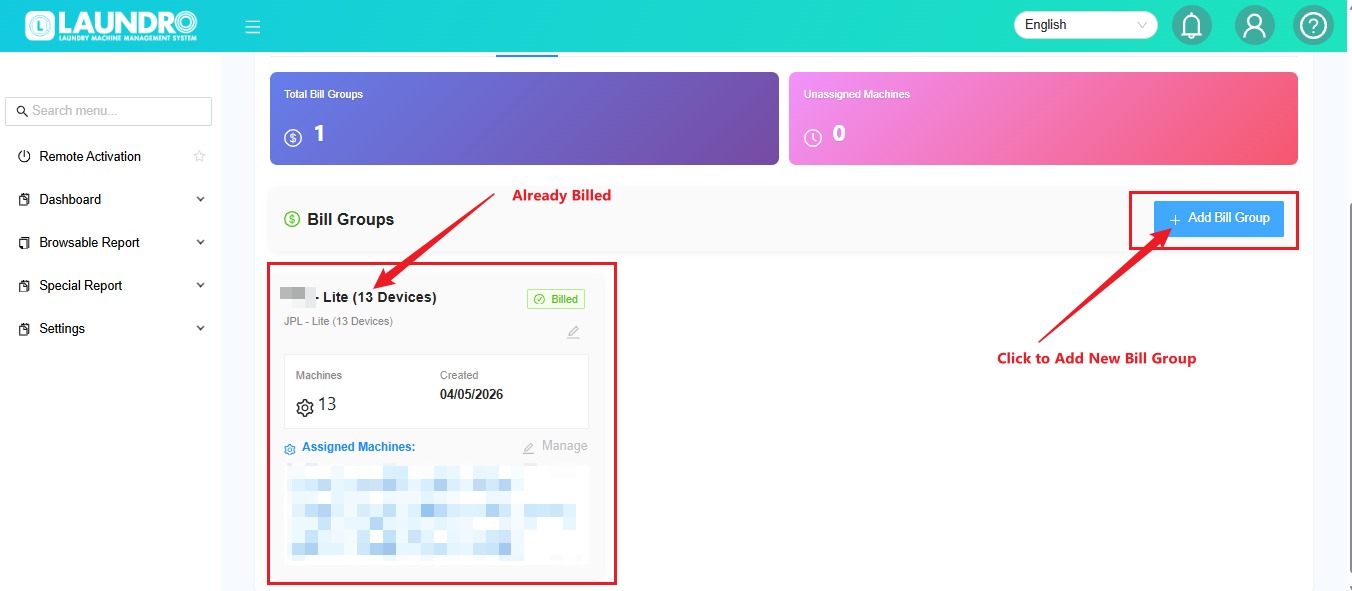
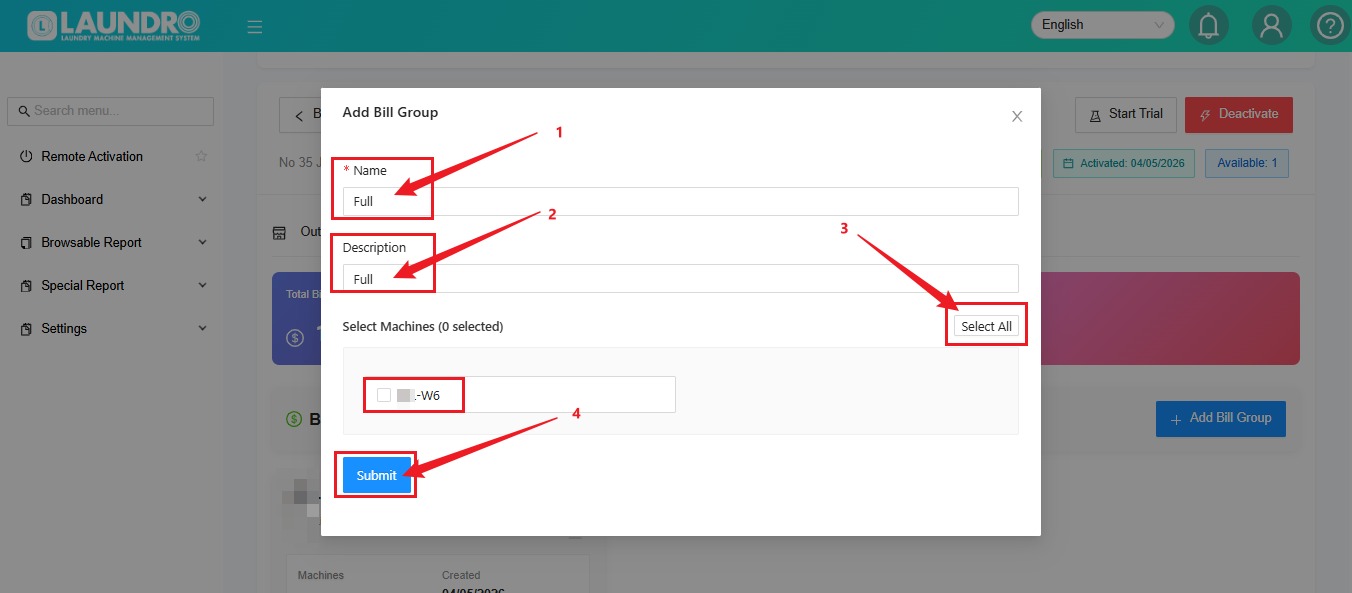
- Click + Add Bill Group.
📝 Select the Machines
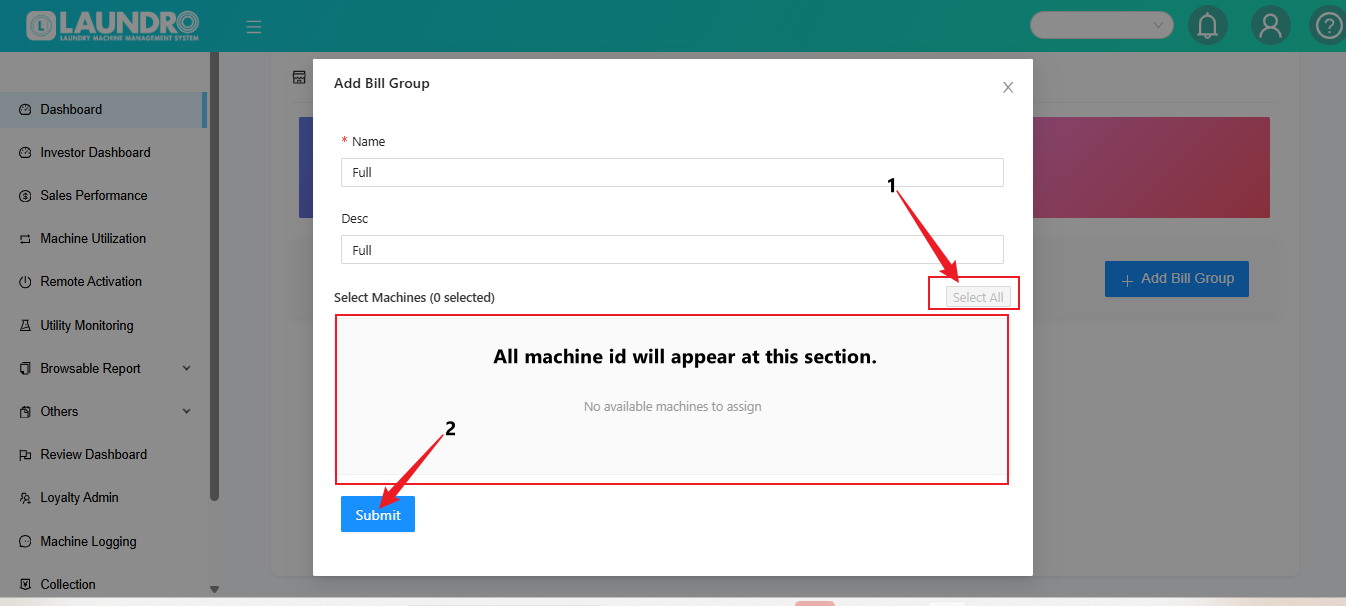
- Click Select All to select all the listed machines.
- Click Submit to confirm your selection.
💡 Quick Tip: Check that all the intended machines are selected before clicking Submit.
✅ Step 4 — Activate the Outlet
Once the billing setup is complete:
🎉 Your outlet activation process is complete once the system confirms the activation.
⚠️ Important Reminder :
- Please ensure that all Washer and Dryer devices are configured before activating the outlet.
- Each new outlet is given a one time free trial period of 5 days to test the full function of the system.
- Once outlet is activated, the billing cycle will start automatically on the activation date.
➕ Step 5 — Add Machines for an Existing Outlet
Already have an active outlet but want to add more machines? Follow these steps!
💡 Quick Tip: Make sure you select the newly added machines rather than billing the existing machines again.
💡 Quick Tip: Make sure you select the newly added machines rather than billing the existing machines again.
🎉 You're All Set!
Before finishing, use this checklist:
- Correct outlet selected
- All Washer and Dryer devices configured
- Required machines selected for billing
- Billing setup completed
- Outlet activated, if applicable
Need help? Contact the Laundro support team if you encounter any issues during activation.