Einvoice Report v2
🎯 Purpose
The E-Invoice Report v2 allows you to view e-invoice records based on the selected Operator, Date Range, Outlet, and Company.
You can also view the Total Amount and download the generated report for further use.
📍 How to Access
Step 1 — Open Laundro Portal
Log in to the Laundro Portal using your Username and Password.
Step 2 — Open Report
Report
Step 3 — Select E-Invoice Report v2
Under the Report menu, click:
E-Invoice Report v2
You will be directed to the E-Invoice Report v2 page.
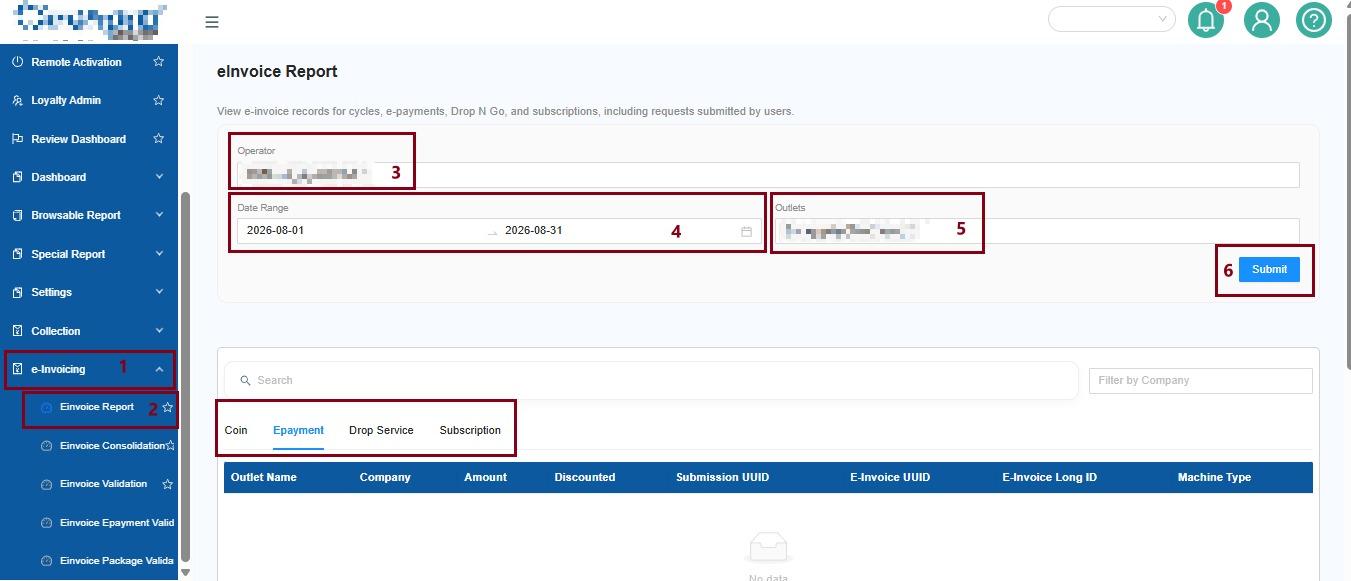
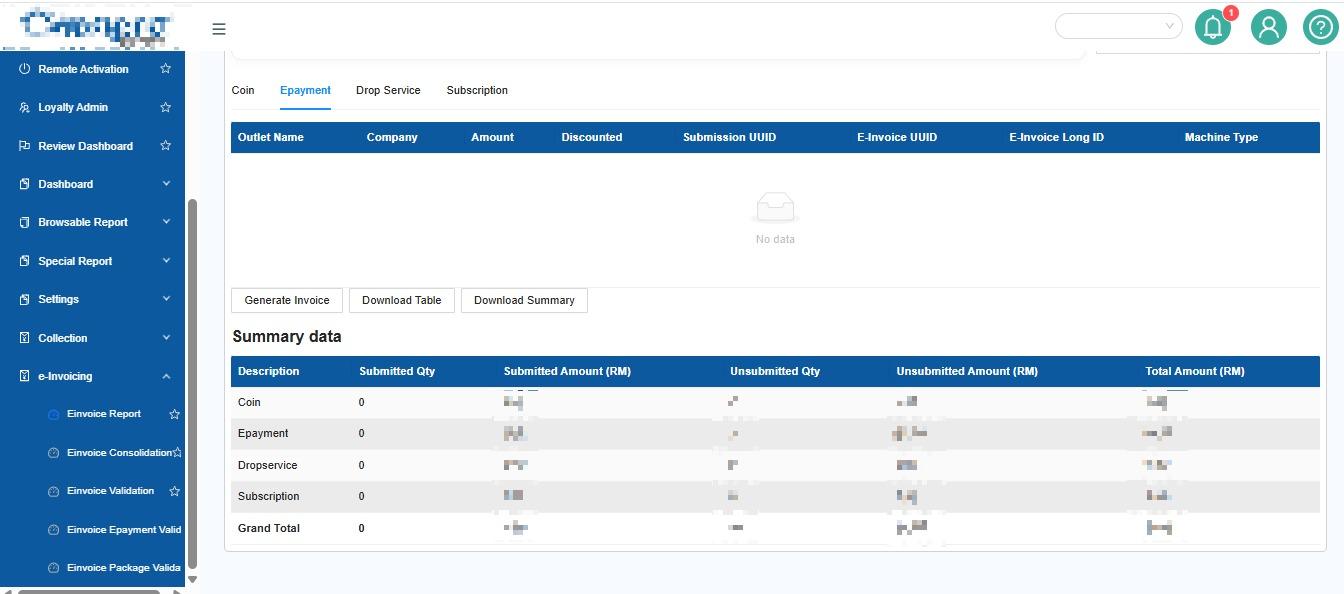
1️⃣ Select the Report Filters
Use the available filters to select the information you want to view.
👤 Operator
Select the Operator you want to include in the report.
📅 Date Range
Select the date range for the e-invoice records you want to view.
You can select a date range from the previous months.
🏪 Outlet
Select the Outlet you want to view.
🏢 Company
Select the Company you want to include in the report.
This allows you to filter the report based on a specific company.
2️⃣ Generate the Report
After selecting all the required filters:
Click → Submit
The system will generate the E-Invoice Report based on your selected filters.
3️⃣ Check the Total Amount
After the report is generated, the Total Amount will be displayed based on your selected filters.
This allows you to quickly check the total amount of the e-invoice records included in the report.
4️⃣ Download the Report
If you need to save or use the report for further processing:
Click → Download Report
The generated report can then be downloaded for further use.
💡 Example
Scenario
You want to check the e-invoice records for Company A at Outlet A during September 2026.
Select:
| Filter | Selection |
|---|---|
Operator | Operator A |
Date Range | 1–30 September 2026 |
Outlet | Outlet A |
Company | Company A |
Then:
Click Submit → Review Total Amount → Download Report
The system will generate the e-invoice records based on your selected filters.
🧭 Quick Navigation
Laundro Portal → Report → E-Invoice Report v2 → Select Filters → Submit → View / Download Report.