# Alpha1 v4 to v5 Firmware Migration Procedure
This document provides the technical steps required to migrate device partitions and upgrade to the latest production firmware.
## 1. Initial Firmware Preparation
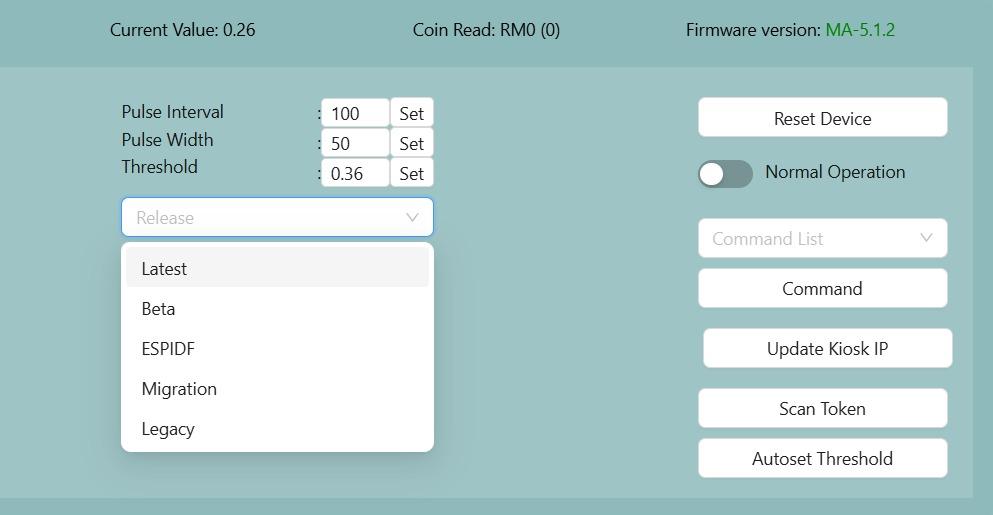
- **Navigate** to the target device within the Node Cloud dashboard.
- **Select "Migration"** from the Release dropdown menu.
- **Click "Force Update"** and wait for the device to reboot.
- **Confirm** that the firmware version is now **XX-0.10.10**.
[](https://docs.antlysis.com/uploads/images/gallery/2026-01/TIndrxdiSSJxSpTW-whatsapp-image-2026-01-05-at-9-27-43-am.jpeg)
## 2. Pre-Migration Validation
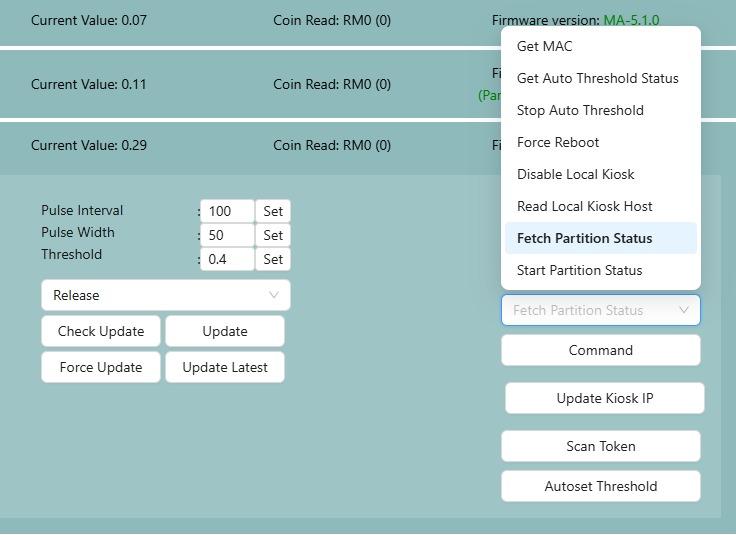
Execute the **Fetch Partition Status** command from the conmmand list to determine the migration state.
| Response | Action |
|---|
| `PartitionMigration_Uninitiated` | Proceed to Migration |
| `PartitionMigration_NotStarted` | Proceed to Migration |
| `PartitionMigration_Completed` | Migration not needed; skip to Phase 4 |
| `PartitionMigration_ErrorReadingStatus` | **Stop** and report issue |
| `PartitionMigration_Failed` | **Stop** and report issue |
## [](https://docs.antlysis.com/uploads/images/gallery/2025-12/ET0KufLzqIEmRCZw-whatsapp-image-2025-12-21-at-10-18-44-pm.jpeg)
## 3. Partition Migration Process
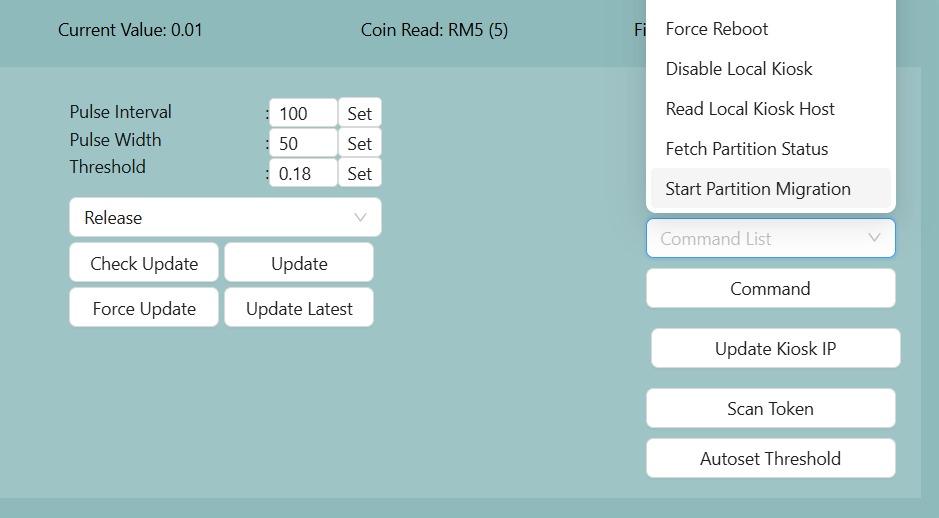
1. Select **Start Partition Migration** from the command list and click **Command**.
2. **Observation:** The device may reboot twice. Do not interrupt power during this time. The entire process may take around 2-5 minutes.
3. **Success Criteria:** The migration is successful when `PartitionReformat_Success` is published and the device reboots.
4. If `PartitionReformat_Success` does not appear before device reboot, select **Fetch Partition Status** after the device reboots and click **Command**. If `PartitionMigration_Completed` is published, proceed with device update, If `Partition_MigrationInProgress` is shown, wait for next reboot before updating.
[](https://docs.antlysis.com/uploads/images/gallery/2026-01/Rh23Jbc5kLiFOslf-whatsapp-image-2026-01-05-at-4-22-22-pm.jpeg)
\[!CAUTION\] If `PartitionReformat_Fail` or `PartitionReformat_CriticalFail` is displayed, do not proceed. Report the failure immediately!
## 4. Final Firmware Update
- Select **Latest** in the Release dropdown menu.
- Click **Check Update**.
- When prompted with **"5.X.X available"**, click **Update**.
- **Verification:** Following the reboot, ensure the firmware version is updated to **XX-5.X.X**.
If still intent to use legacy, use the legacy release (firmware version will be 4.4.11)